
Best AI Tools for Engineering Managers (2026 Guide)
A practical guide to AI tools for engineering managers: what each one actually does, where they fall short, and how to pick one that fits how your team works.
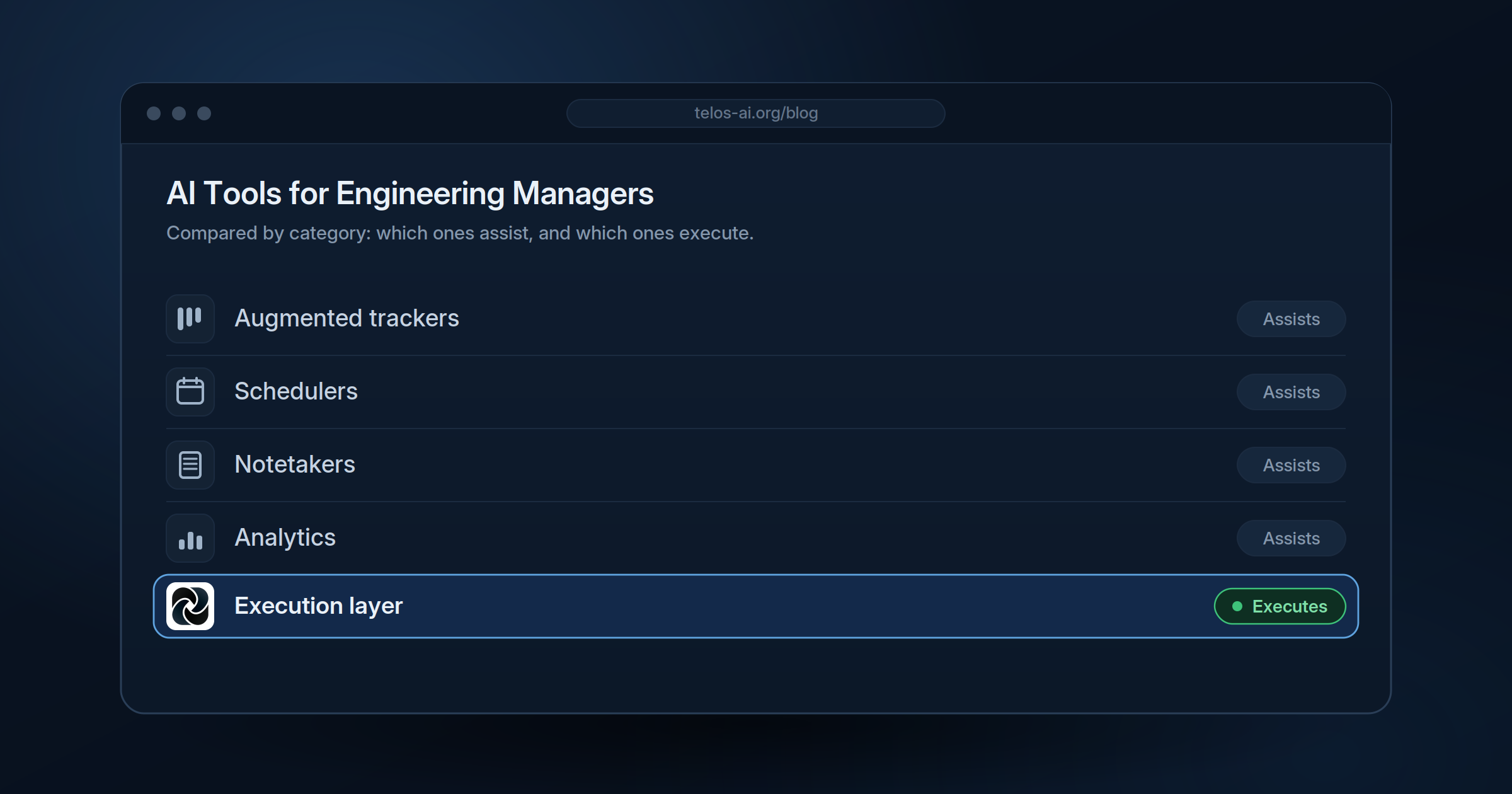
The Best AI Tools for Engineering Managers in 2026 (and What to Actually Look For)
Most lists of AI tools for engineering managers are just a pile of logos with the word “AI” stapled to each one. That is not useful when you are the person who has to choose one, roll it out, and defend the spend.
So this guide does two things. First, it gives you a simple framework for evaluating any AI tool against how engineering work really flows. Then it walks through the main categories of tools on the market today, what each one is genuinely good at, and where most of them quietly hand the hard part back to you.
The hard part, for almost every engineering manager, is the same. A decision gets made in a planning call. The reasoning lives in a Slack thread. The work itself happens in GitHub. And the ticket that is supposed to tie all of that together gets written two days later by someone who was not in the room. You spend your week being the connective tissue between those systems. Good AI tools should shrink that work. A lot of them just move it around.
What engineering managers should look for in an AI tool
Before comparing products, get clear on what “good” means for your role specifically. An engineering manager sits between code-level reality and sprint-level planning, so the tools that help most are the ones that understand both. Five questions cut through the marketing fast.
Does it live where work already happens? The useful tools plug into your real stack: meetings, Slack, GitHub or GitLab, and your tracker. A tool that needs your team to live inside a new app is a tool your team will route around.
Does it reduce work about the work, or add to it? Surveys of knowledge teams consistently find that more than half the workday goes to coordination, status updates, and hunting for context rather than the actual job. A good AI tool should claw some of that back. Be honest about whether a tool removes steps or just adds a prettier place to do them.
Assistant or operator? This is the question that separates the categories. Most AI tools are assistants: they wait for you to prompt them, then help with a task. A smaller, newer group operates on its own, picking up intent from your team’s normal activity without anyone typing a command. For a busy manager, the difference between “I have to remember to use it” and “it just runs” is enormous.
Does it connect context across sources? A meeting-notes tool sees the meeting. A tracker sees the tickets. The real value shows up when a tool can link the decision in the call to the thread that debated it to the PR that implements it. Single-source tools cannot do that by design.
Can you trust and audit what it does? Anything that writes tickets, updates statuses, or assigns owners needs to be reviewable. Look for a clear trail of why it did what it did, not a black box.
Keep those five in mind and the landscape sorts itself out quickly.
The main categories of AI tools for engineering managers
There are dozens of products, but only a handful of jobs they actually do. Group them by job and the choice gets simpler.
1. AI-augmented trackers and project management suites
These are the tools you probably already use, now with AI features layered on. Jira uses AI to draft issues, summarize long tickets, prioritize backlogs, and forecast sprints. Linear brings the same idea to a faster, cleaner issue tracker built for software teams, with AI-assisted descriptions and triage. ClickUp and Asana add AI for task creation, sprint summaries, workload balancing, and workflow automation across cross-functional teams.
Best for: teams that want to stay in their current system of record and get incremental help with the busywork inside it.
Watch for: the AI here is bound to whatever you have already typed in. It makes the backlog tidier. It does not fill the backlog from the conversations that should be feeding it.
2. AI scheduling and capacity tools
Motion is the clearest example. It auto-schedules tasks against your team’s calendars, deadlines, and availability, and turns standard operating procedures into reusable workflow templates.
Best for: teams drowning in prioritization and calendar tetris for work that is already defined.
Watch for: it schedules work you give it, and setup takes real upfront effort to build the templates. It is strong at planning defined work, not at defining the work in the first place.
3. Meeting capture and notetakers
Otter, Spinach, and Fellow sit in your calls and turn them into summaries and action items. The better ones go a step further and suggest tickets based on what was discussed. Spinach in particular markets itself to engineering leaders and tech leads and will propose Jira updates off a standup or planning session.
Best for: teams that lose decisions and action items because no one writes them down.
Watch for: most of these are meeting-only. They capture the room and stop at a suggestion. Someone still reviews the notes, opens the tracker, and turns them into real, owned, contextualized work. The Slack thread and the GitHub activity that surround the decision are outside their view.
4. Engineering analytics and delivery metrics
Tools in this group measure how delivery is going: DORA metrics, cycle time, PR aging, review bottlenecks, and AI-adoption analytics across coding assistants. They tell you where the friction is.
Best for: managers who need data to coach teams and report up.
Watch for: analytics describe the problem. They do not do anything about the coordination work that creates it.
5. Autonomous execution layers (the emerging category)
This is the newest group and the one most lists miss. Instead of waiting to be prompted, these tools work across the places intent actually lives, meetings, Slack, and GitHub, and turn what was decided into structured backlog work on their own. The pitch is not “a better place to manage tasks” but “the layer that gets work from conversation to execution without a human in the middle.”
Telos is built for exactly this. It connects to meetings, Slack, GitHub, and your tracker, then automatically surfaces decisions, action items, ownership, and context and structures them into your backlog. No prompting, no command to remember. It runs in the background and does the translation work an engineering manager normally does by hand. (Disclosure: Telos is our product, so weigh this section accordingly, and judge it against the five criteria above like anything else.)
Best for: teams where the bottleneck is not the tracker or the calendar but the gap between what gets decided and what gets built.
Watch for: this category is young, so the bar is whether the cross-source linking and accuracy genuinely hold up. Ask for a clear audit trail.
Quick comparison
| Tool | Category | What it does | Needs prompting? |
|---|---|---|---|
| Jira AI / Linear | Augmented tracker | Drafts and summarizes tickets, forecasts sprints | Mostly yes |
| ClickUp / Asana | Augmented suite | Task creation, summaries, workflow automation | Mostly yes |
| Motion | Scheduling | Auto-schedules defined work against calendars | Setup heavy |
| Otter / Spinach / Fellow | Meeting capture | Summaries and suggested tickets from meetings | Meeting-triggered |
| LinearB / analytics tools | Delivery metrics | DORA, cycle time, bottleneck visibility | N/A |
| Telos | Execution layer | Turns meetings, Slack, and GitHub into structured backlog | No |
The gap most of these share
Lay the categories side by side and a pattern shows up. Augmented trackers organize what you already entered. Schedulers plan what you already defined. Notetakers capture what was said and suggest a next step. Analytics tools measure the outcome. In every one of those, the engineering manager is still the part in the middle that turns a messy conversation into clean, owned, tracked work.
That manual translation is the work about the work. It is also the part AI is finally getting good enough to do, which is why the autonomous execution layer is emerging as its own category rather than a feature inside the others. The question for 2026 is less “which tool has the best AI features” and more “how much of the connective work am I still doing by hand, and which tool actually takes it off my plate.”
How to choose
Match the tool to your real bottleneck, not to the longest feature list.
If your tracker is a mess and tickets are badly written, an augmented tracker like Jira AI or Linear earns its keep. If your team is fine on definition but buried in scheduling and prioritization, Motion is built for that. If decisions evaporate the moment a meeting ends, a notetaker like Spinach or Otter helps. If you cannot see where delivery slows down, start with analytics. And if the thing eating your week is the handoff between conversation and execution, that is what an execution layer like Telos is for.
Most teams end up with two or three of these, not one. The trap is buying another assistant when what you needed was something that operates on its own.
See Telos on Your Own Stack
If the bottleneck you keep hitting is the gap between what gets decided and what gets built, that’s the exact problem Telos was built to take off your plate. It connects to your meetings, Slack, GitHub, and tracker, and turns the decisions buried in everyday conversation into structured, owned backlog work — automatically, with a full audit trail.
The fastest way to know whether it fits how your team actually works is to see it run on your meetings, your repo, and your backlog. Book a demo and we’ll walk through it live with your setup.
See also: What an AI agent for project management does, the best Jira AI agents compared, and how to automate Jira ticket creation.